

Sep 2026
FastMetry: Private Fasting and Body Measurement Tracker
Designed and built FastMetry, a mobile app for adults to track fasting and body measurements privately — with a weekly fasting planner, an interactive 3D body view and progress charts, all stored on the device. Coming soon to Google Play.
- Web Development & Digital Platforms
- Android
- Mobile app development
- On-device database
- 3D body visualisation
- Local notifications
- CSV export
The brief
FastMetry is my own app under the WiTEDS name. I wanted one simple mobile app that brings fasting and body measurements together, so adults can record sessions, take measurements when they want, and actually see change over time — without creating an account or sending personal wellness data to a cloud service.
The requirements were to:
- Launch on Android first, through Google Play.
- Track fasting plans, an active timer and an editable fasting history.
- Plan a week of fasts ahead of time.
- Record any body measurements, in metric or imperial — every field optional.
- Show measurements on an interactive body view, alongside charts and comparisons.
- Keep every record on the device: no account, no cloud sync, no ads or analytics.
- Give people control: reminders they opt into, CSV export and full deletion.
The approach
A focused first release with five tabs — Fast, History, Body, Progress and Settings — and local storage on the device. I deliberately left calorie tracking, food scanning, AI coaching and social features out of the first version to keep it simple and private.
The app
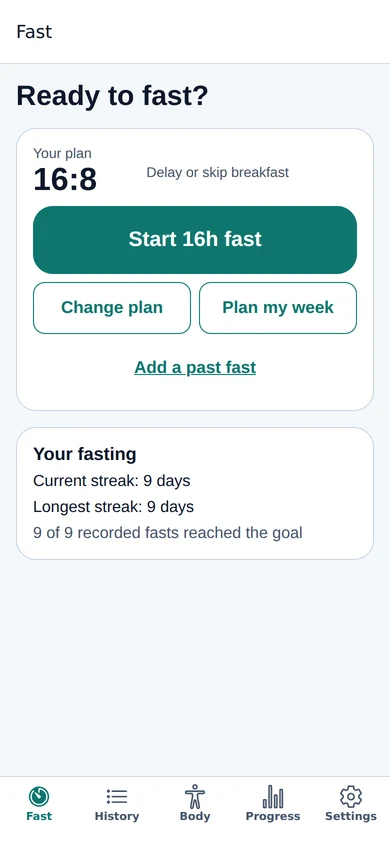
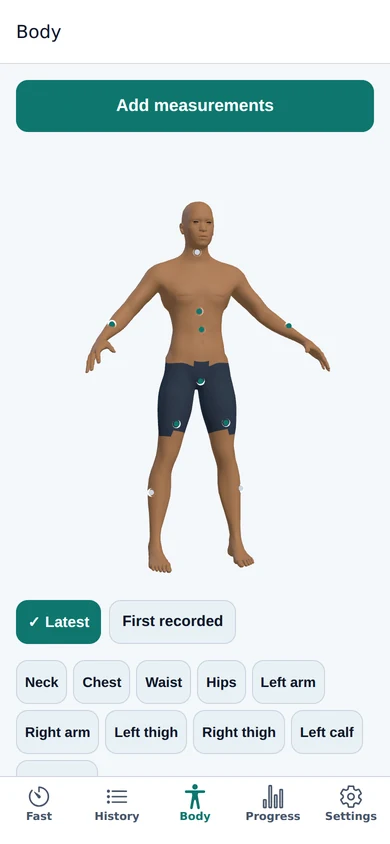
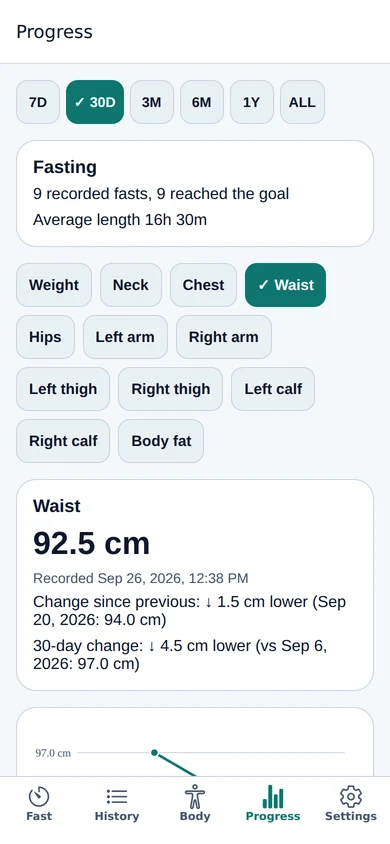
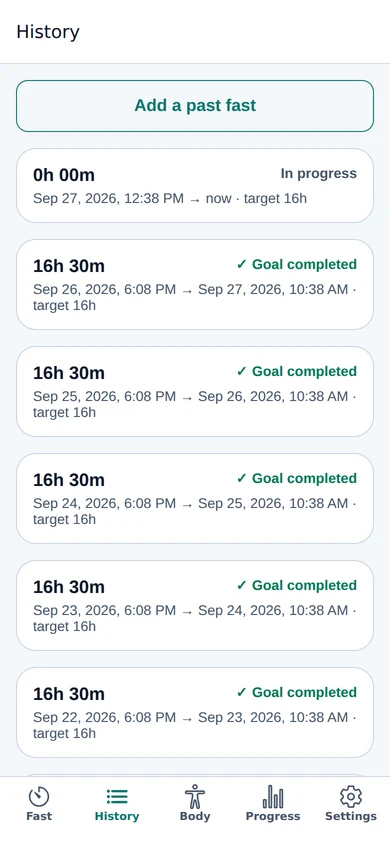
Screenshots use sample data.
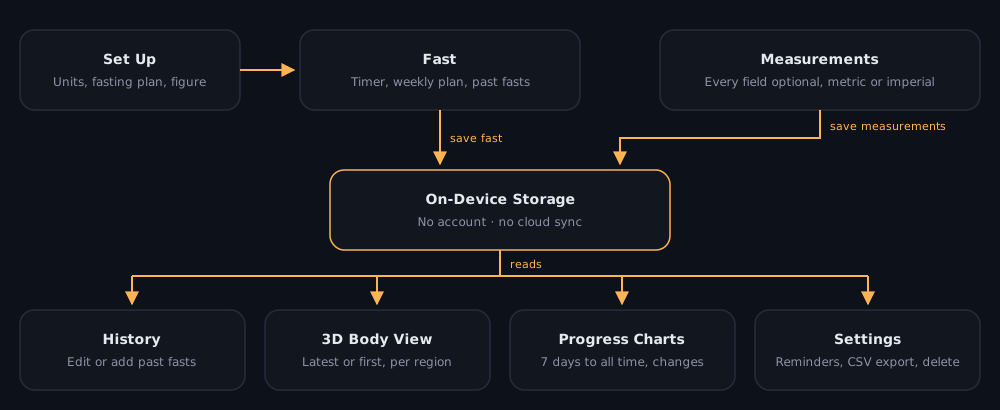
How it works
- Set up — choose metric or imperial units, a usual fasting plan (16:8 by default) and an optional figure for the Body tab. All of it can be changed later.
- Record a fast — start a fast and the timer runs from the saved start time. Reaching the target doesn’t end the fast; you end it yourself, and past fasts can be added or corrected in History.
- Plan the week — set start times and lengths, review the dated periods and confirm. A planned fast starts automatically while the app is open, and if the app is reopened after its planned start, it’s recorded with the planned start time.
- Measure — add whichever measurements you have, from weight and body fat to neck, chest, waist, hips, arms, thighs and calves. Each value keeps its own recorded date.
- See progress — the 3D body view shows latest or first-recorded values per region, and Progress charts each measurement over 7 days to all time, with the change since the previous entry and over the period.
- Reminders — opt-in goal alerts and a fortnightly measurement reminder.
Privacy by design
- Records stay in the app on the device — no account, no cloud sync.
- Fasting history and body measurements export as separate CSV files through the device’s share options.
- Individual records can be deleted from their detail screens, or everything at once from Settings.
- Positioned clearly as a general wellness tool for adults, not medical advice — with a public user guide, privacy policy and support page.
Engineering practices
- A written MVP plan with ten delivery phases: foundation and local database, fasting, measurements, body view and charts, then notifications, polish, testing and publishing.
- A simple local data model separating settings, fasting sessions and measurements.
- Planned scope kept tight: later ideas — progress photos, weekly summaries, widgets and optional backup — wait until after launch.
Outcome
FastMetry is built and coming to Google Play in the next few days, with its own website, user guide, privacy policy and support page already live.
- Five-tab app covering fasting, history, measurements, a 3D body view and progress.
- Weekly fasting planner with automatic starts while the app is open.
- Private by default: on-device storage, no account, CSV export and full deletion.
Next: the Google Play launch, then the post-launch ideas above.