

Oct 2026
Nourish: AI-Assisted Nutrition Tracker
Built Nourish, a mobile-friendly nutrition tracker that pairs AI photo recognition with a separate nutrition lookup, editable meal review, and water, weight and progress tracking — now in testing ahead of a public release.
- Web Development & Digital Platforms
- AI & Intelligent Systems
- React
- TypeScript
- Cloudflare Workers
- Cloudflare D1
- OpenAI Responses API
- CalorieNinjas
- Drizzle
- Zod
- IndexedDB
- Codex
The brief
Nourish is my own product under the WiTEDS name: one mobile-friendly app for meals, calories, macronutrients, water, weight and progress, with separate profiles and optional photo recognition — built to become a public app, and currently in testing.
The requirements were to:
- Keep each profile’s meals, targets and progress completely separate.
- Support manual logging alongside food search and photo recognition.
- Let me review and correct food names, portions and nutrition before anything is saved.
- Track water, weight and historical targets, even when a plan changes.
- Keep provider credentials on the server, and provide data export and deletion.
- Leave enough documentation for another developer or AI coding agent to carry on.
The approach
A server-rendered React web app on Cloudflare Workers, with structured records in Cloudflare D1. I directed an iterative, AI-assisted build: I set the requirements, reviewed the interface, configured the provider secrets and ran the integration testing, while an AI coding agent implemented code, ran checks and drafted documentation.
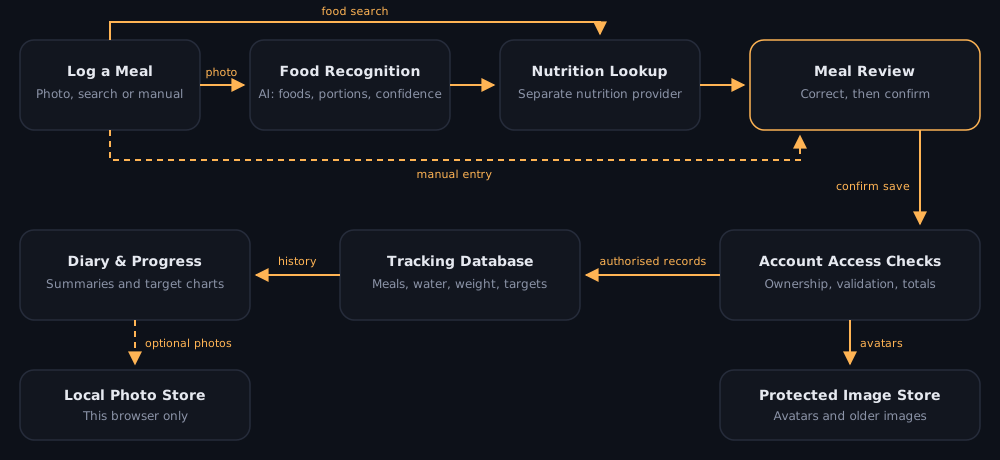
The app in testing
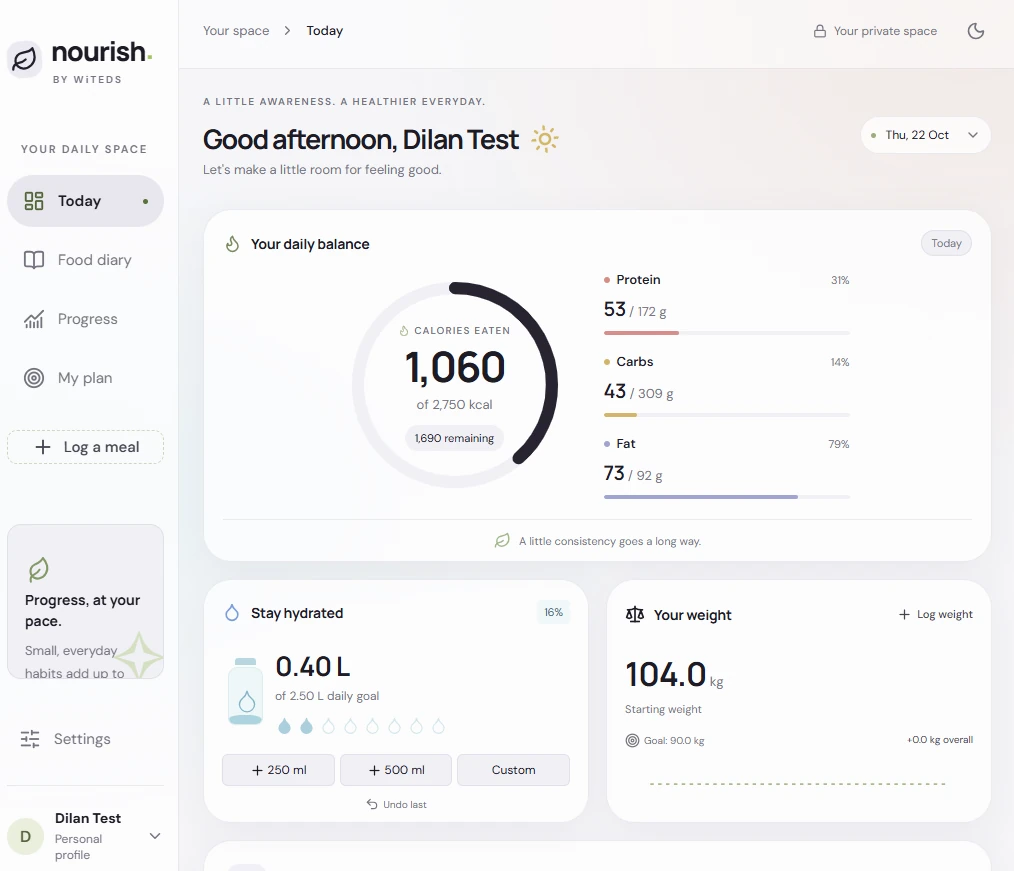
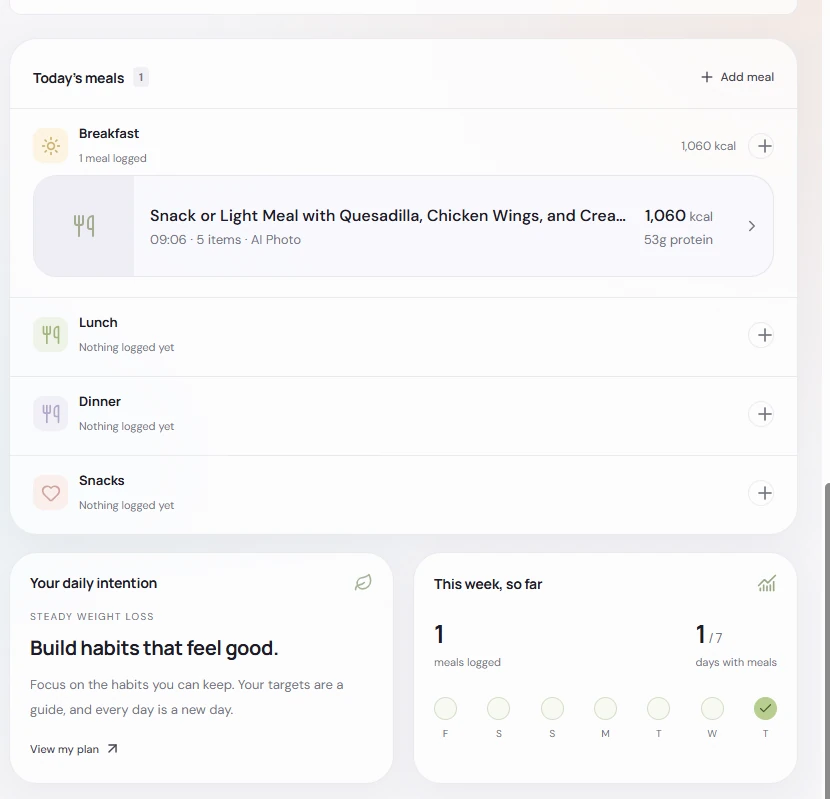
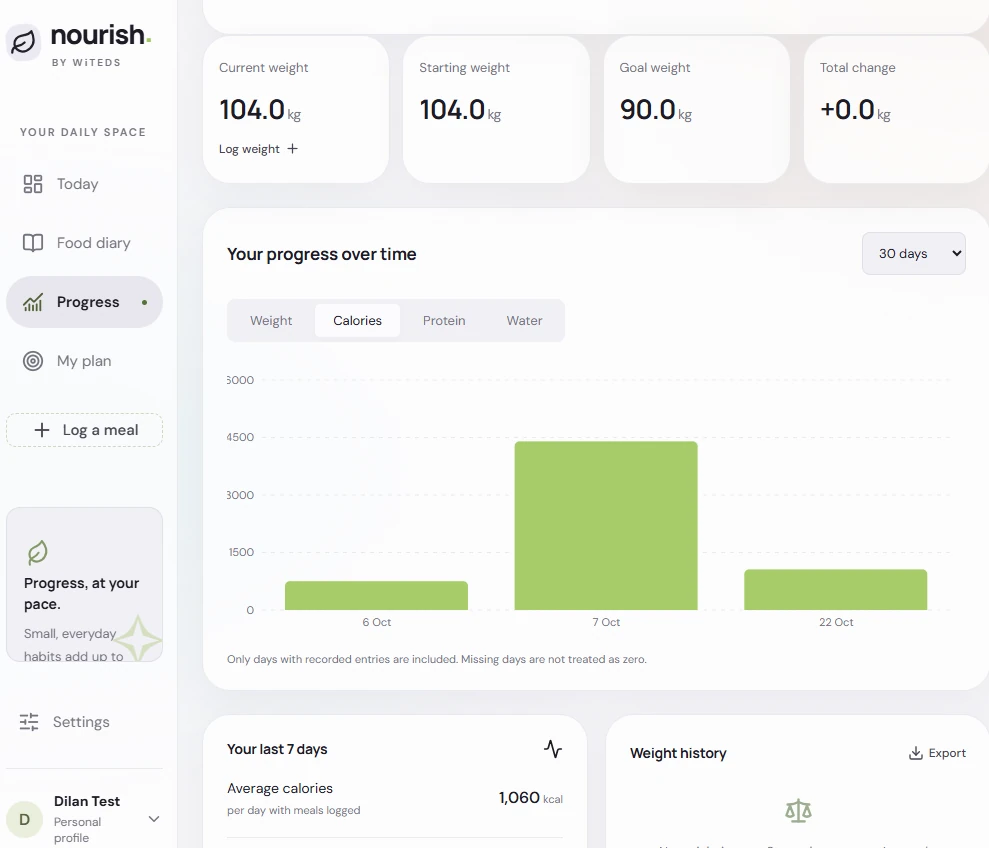
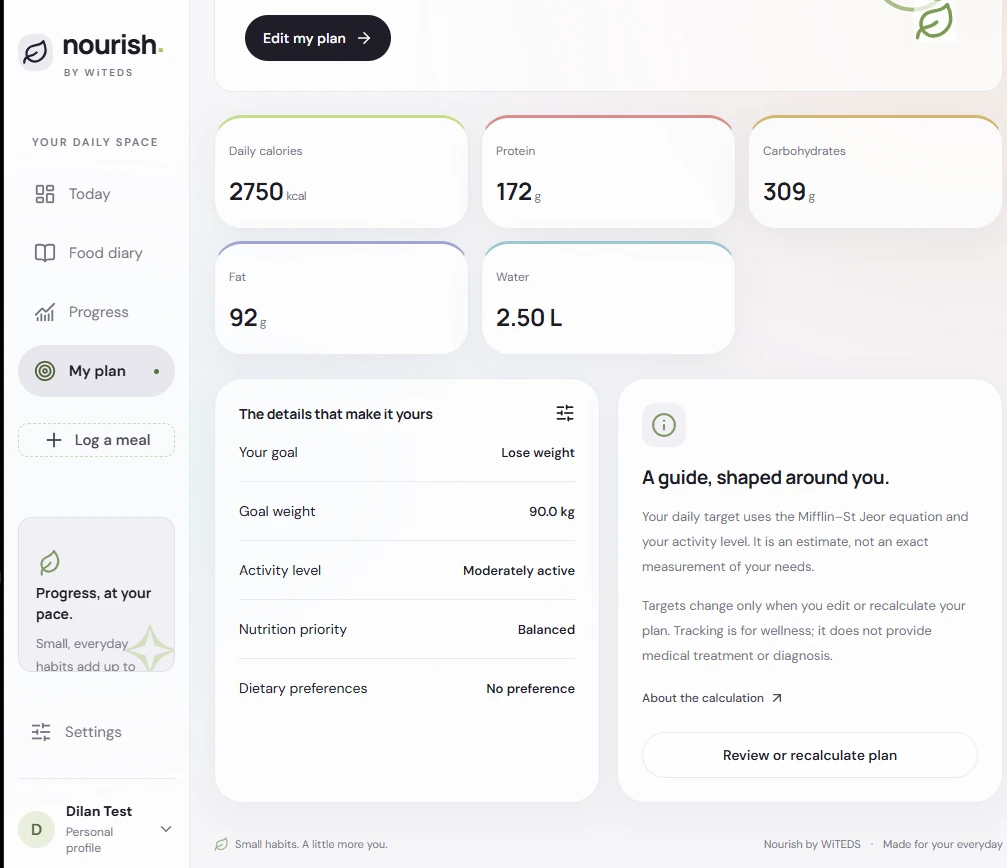
Screenshots from testing, using a test profile.
How it works
- Log a meal — by photo, food search, a short description, or fully manual entry.
- Photo recognition — the browser compresses the image, then the server sends it for AI food recognition, which returns food names, estimated portions and confidence.
- Nutrition lookup — a separate nutrition provider calculates the values, so recognition and nutrition can be checked independently.
- Review before saving — I correct foods, portions or nutrition and confirm. Changing recognised foods means recalculating or deliberately switching to manual values.
- Server-side save — the server checks profile ownership, validates the request and calculates meal totals from the items, then the diary, summaries and progress charts update.
Key features
- Profiles with guided onboarding, editable goals, archiving and restoring.
- Meal tools — edit, delete, recent meals, favourites, and copying a meal or a whole day.
- Water and weight — quick water additions with undo, daily weight corrections, progress charts and calendar trends.
- Target history that’s preserved when plans change, with eligibility guards on automatic target estimates.
- Meal windows for weekdays and weekends, with suggested categories and manual overrides.
- Mobile-first interface with larger text and icons, and light, dark and system themes.
- Privacy controls — optional meal and progress photos stay in the browser; account JSON and profile CSV exports; deletion controls.
Technology stack
| Layer | Technologies | Role |
|---|---|---|
| Interface | React, TypeScript, CSS, Recharts | Screens, forms, responsive layout and progress charts |
| Runtime | Vinext, Vite, Cloudflare Workers | Server-rendered app and server API routes |
| Data | Cloudflare D1 (SQLite), Drizzle | Tracking records with versioned schema migrations |
| Images | IndexedDB, Cloudflare R2 | Local photo retention, separate from protected avatars |
| AI and nutrition | OpenAI Responses API, CalorieNinjas | Food identification kept separate from nutrition calculation |
| Quality | Zod, Node.js test checks, pnpm | Validated inputs and repeatable automated verification |
Security and privacy
- Every structured record goes through authenticated account and profile-ownership checks.
- The server validates inputs, derives meal totals itself, rate-limits provider calls and uses prepared statements.
- Provider credentials are server-side secrets and never reach the browser.
- Retained photos stay local — but photo analysis still sends the selected image to the AI provider, and that’s documented honestly rather than implied away.
Problems I solved
- Duplicate saves after a dropped connection. Retrying a save after losing the response could create a second entry. I added stable operation IDs with receipts committed alongside the records: identical retries return the saved result, and a changed payload with the same ID is rejected.
- Late responses landing on the wrong view. An earlier request could finish after switching profile or day. Results are now matched to the view and request that started them before they’re applied.
- Zero-calorie meals treated as missing. A truthiness check treated
0as no data. A shared helper now preserves zero across recent meals and favourites, with a regression check. - Proving the integrations actually worked. Configured credentials didn’t prove connectivity, so I ran live tests through a temporary, redacted diagnostic route. After switching the sample image from PNG to JPEG, both recognition and nutrition lookup returned successfully, and the diagnostic route was removed.
Engineering practices
- Transactional writes, canonical units for stored measurements, and preserved plan history.
- Automated checks against an in-memory database with mocked provider calls.
- A full handover pack — an AI-agent entry guide plus architecture, API, setup, testing, security and roadmap documents — with unfinished work documented as unfinished.
Developed with AI-assisted coding (ChatGPT and Codex), with the requirements, design decisions, configuration and testing directed by me.
Outcome
Nourish is working end to end and in testing ahead of a public release, covering meals, water, weight and progress across separate profiles:
- 77 automated checks passing, plus a clean TypeScript check and production build.
- Three database migrations applied cleanly to a fresh database.
- Both provider integrations verified live — image recognition and nutrition lookup.
- 18 handover documents, so another developer or AI agent can pick it up.
Next, before the public release: stronger server-side meal-window validation, better local-photo cleanup, and focused browser and accessibility tests. A native mobile client, offline sync and wearable integration are on the longer-term list.